Devlog-1# - Version 2.0.0
Version Name: The Labeling Update
Release Date: December 2025
🎯 Overview
Version 2.0.0 is a major update for Inventory Forge, introducing a brand-new Slot Labeling System, a complete overhaul of the authentication and licensing system, and an improved Presets Display with smart categorization.
✨ Key New Features
1. Slot Labeling System
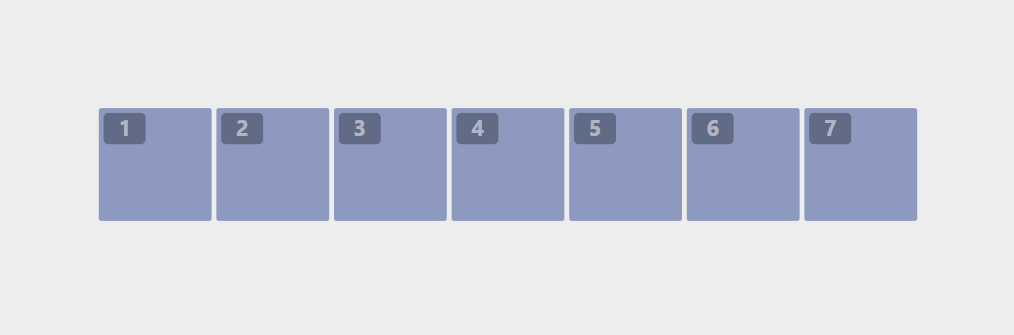
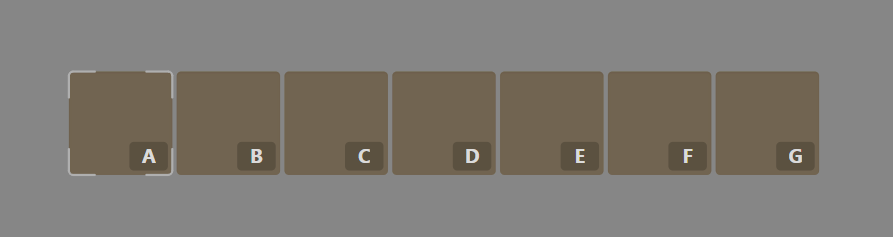
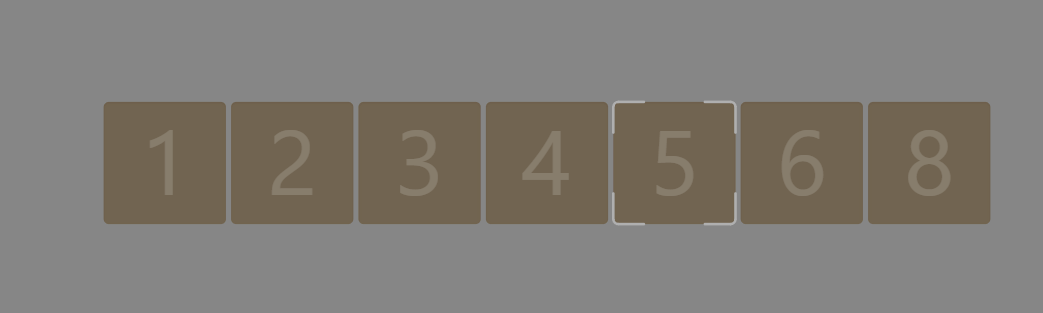
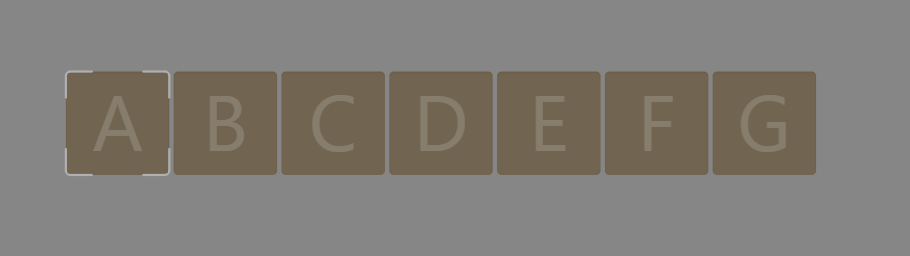
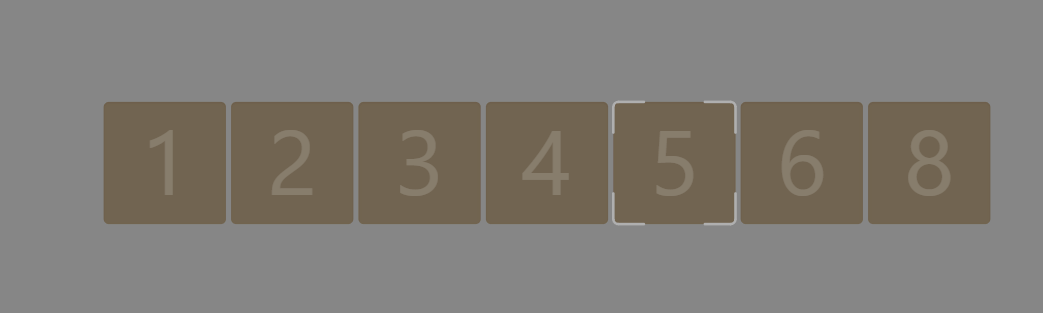
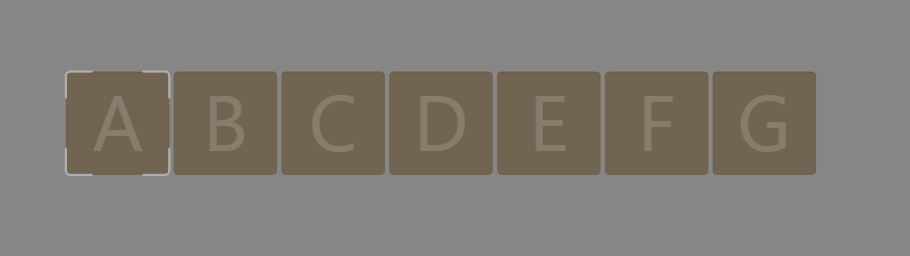
The highlight of this update! You can now assign numbers or letters to each slot in the inventory grid.
Supported Styles:
Centered Style
-
Displays numbers/texts at the center of empty slots only
-
Ideal for clear slot numbering
-
Automatically hides when a slot contains an item
Corner Badge Style
-
Displays a small badge in the corner of each slot
-
Visible on all slots (empty or filled)
-
Customizable position (4 corners)
-
Separate control for badge size and font size
Customization Options:
| Option | Description | Range |
|---|---|---|
| Font Size | Font size | 10-100 px |
| Font Color | Font color | Any HEX color |
| Font Opacity | Font opacity | 0-1 |
| Font Weight | Font weight | Normal / Bold |
| Font Family | Font family | Custom fonts (TTF, OTF, WOFF) |
| Badge Size | Badge size | 10-100 px |
| Badge Color | Badge background color | Any HEX color |
| Badge Opacity | Badge opacity | 0-1 |
| Badge Padding | Inner spacing | 0-12 px |
| Badge Radius | Corner radius | 0-12 px |
| Corner Position | Badge position | Top-left, Top-right, Bottom-left, Bottom-right |
Custom Fonts Support:
You can now import and use custom fonts for slot numbers/texts:
Supported Formats:
-
TTF (TrueType)
-
OTF (OpenType)
-
WOFF / WOFF2 (Web Fonts)
Workflow:
1. Go to the "Appearance" section and click "Select Font" 2. Choose your font file 3. The font applies instantly to all slot labels 4. Revert to the default font anytime
Notes:
-
Fonts are saved with the project
-
Compatible with both Centered and Corner Badge styles
-
Exports correctly in PNG files
Numbers and Text Support:
-
Number Mode: Automatic sequential numbers (1, 2, 3…)
-
Text Mode: Custom text up to 10 characters (A, B, C… or any text)
-
Auto-Populate: Automatically fills the selected range
-
Individual Assignment: Set custom label per slot
User Workflow:
1. Open the "Slot Label" tab in the Presets panel 2. Select a display style (Centered or Corner Badge) 3. Choose the rows/columns to label 4. Click "Auto-Populate" for automatic numbering - Or use "Set Individual Slot Label" for custom values 5. Customize appearance (colors, size, font) 6. For badges: choose corner position and style
2. New Authentication & Licensing System
The authentication system has been rebuilt.
New Model:
Full Free Trial: Use all tools without registering
-
Smart Verification: Checks license weekly
-
Offline Support: Grace period without internet
-
Tamper Protection: Auto-detects system date changes
User Workflow:
New Users:
1. Open the app (no registration needed) 2. Use all tools and design freely 3. On clicking "Export": - Login/Register window appears - Activate license 4. Export without restrictions
3. Enhanced Presets System
Significant improvements in displaying and managing Presets:
Smart Categorization:
📁 Presets ├── 📂 Layouts │ ├── 🏷️ [Bundled] Classic Grid │ ├── 🏷️ [Custom] My Layout ├── 📂 Templates │ ├── 🏷️ [Bundled] RPG Inventory │ ├── 🏷️ [Custom] Dark Fantasy └── 📂 Color Themes ├── 🏷️ [Bundled] Ocean Blue ├── 🏷️ [Custom] Neon Glow
Labels:
| Label | Color | Meaning |
|---|---|---|
| Bundled | Blue | Preset included with the app (read-only) |
| Custom | Green | User-created preset (editable) |
| New | Yellow (animated) | Recently added preset |
| Error | Red | Failed to load preset |
Storage Paths:
Imported presets are saved automatically:
Windows: %APPDATA%/Inventory Forge/presets/ ├── templates/ ├── layouts/ └── themes/ Mac: ~/Library/Application Support/Inventory Forge/presets/ Linux: ~/.config/Inventory Forge/presets/
Import Workflow:
1. Click Import or drag a JSON file 2. App detects the preset type 3. File is copied to the correct folder 4. Appears in the list with "Custom" and "New" labels 5. Right-click to rename or delete
Additional Features:
-
Auto-update: monitors Presets folder for changes
-
Refresh button: manual update per category
-
Open folder: quick access to presets directory
-
Context menu: rename or delete
🎨 Visual Enhancements
Panel Borders
New option to add borders around panels:
| Option | Description | Range |
|---|---|---|
| Panel Border | Enable/Disable | On/Off |
| Border Color | Border color | Any HEX |
| Border Width | Border width | 1-20 px |
UI Improvements:
-
Smoother animations
-
Improved loading indicators
-
Clearer error messages with suggestions
🐛 Bug Fixes
-
Fixed memory leak in file watcher
-
Fixed presets not updating after import
-
Fixed contrast calculation for transparent colors
-
Fixed high-resolution export issue
-
Improved license error handling
🔧 Technical Improvements
-
Complete authentication system refactor
-
Faster presets loading
-
Smart license caching system
-
Enhanced error handling and logging
-
Better offline support
📦 How to Get the Update
-
Download from itch.io
-
Try all features for free
-
Purchase a lifetime license when ready to export
🙏 Special Thanks
Thank you to all users who provided feedback and suggestions. This update wouldn’t have been possible without you!
DevNader – December 2025
Leave a comment
Log in with itch.io to leave a comment.